License Proxy
An on-premises proxy that handles license validation for dbosoft products in networks with restricted internet access.
The License Proxy runs inside your network and forwards license validation requests from dbosoft products to the cloud backend. Products discover it automatically via DNS SRV records, so there's nothing to configure on individual servers. It runs as a Windows service or Docker container.
DNS-based discovery
Products find the proxy automatically via DNS SRV records — no configuration on each server.
Health monitoring
A built-in health endpoint lets your monitoring pick up proxy status without extra tooling.
HTTPS & certificates
Supports HTTPS with your own certificates for encrypted communication within your network.
Corporate proxy support
Upstream connections can route through your corporate proxy if the License Proxy itself has restricted internet access.
Run as a container
Best for Docker, Podman, or Kubernetes environments. Pull the image, configure via environment variables, and update by changing the tag. No OS-level installation required.
docker pull ghcr.io/dbosoft/license-proxy:latest
Install as a Windows service
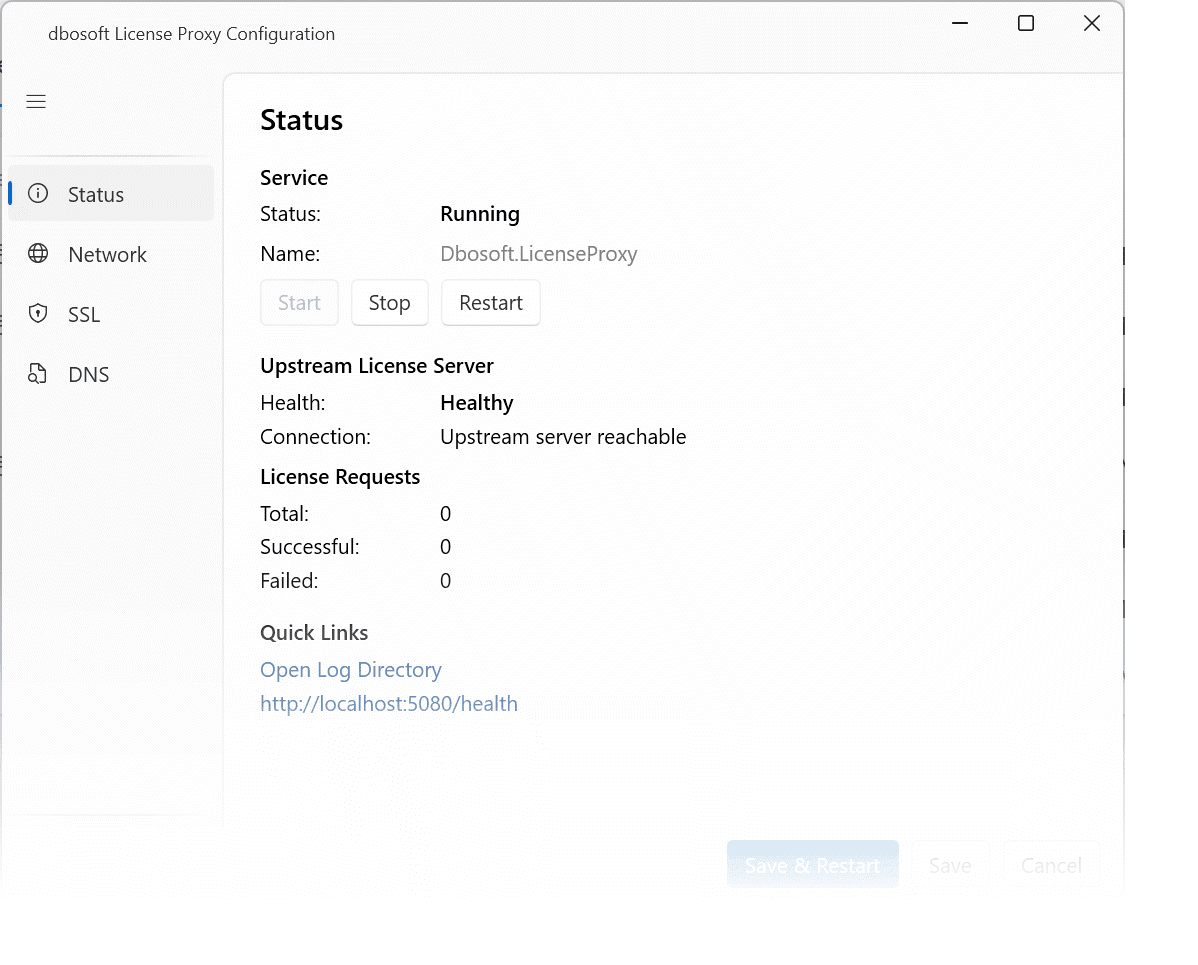
For traditional Windows Server environments. The service runs in the background, starts automatically with the system, and includes a GUI-based configuration tool for setup and certificate management.
Downloads
Windows installer, standalone binaries, and container images — pick what fits your environment.
- Windows (64-bit)
- Linux (64-bit)
- SHA256 checksums:
- licenseproxy_1.0.0_SHA256SUMS
- Checksum signature:
- licenseproxy_1.0.0_SHA256SUMS.sig
You can verify the SHA256 checksum signature with the dbosoft PGP key.
DNS configuration
dbosoft products use DNS to find the License Proxy automatically. Once the right SRV records exist in your internal DNS, every client in the network discovers the proxy on its own — no configuration changes on individual servers, no config files to distribute.
How discovery works
When a dbosoft product needs to validate its license, it queries DNS for an SRV record. It first looks for the HTTPS variant (_dbosoftlics._tcp), then falls back to the HTTP variant (_dbosoftlic._tcp). The domain suffix in that query comes from the machine's DNS search domain — in Active Directory environments, that's typically the AD domain name. If the SRV record resolves, the product connects to the host and port specified in the response.
Creating the SRV records
Add one or both of the following SRV records to your internal DNS server. Which one you need depends on whether the proxy is configured for HTTPS, HTTP, or both.
HTTPS (recommended)
Clients try this record first. Communication between client and proxy is encrypted, which matters if license requests cross network segments. The proxy needs a TLS certificate that the client machines trust — either from your internal CA or a certificate you deploy manually.
| Service | Priority | Weight | Port | Target |
|---|---|---|---|---|
| _dbosoftlics._tcp.yourdomain.local | 0 | 0 | 5443 | licenseproxy.yourdomain.local |
HTTP (fallback)
Clients only try this record when no HTTPS SRV record exists. No certificates needed — simpler to set up, but traffic between client and proxy is unencrypted. This is a reasonable choice for isolated networks where the proxy sits on the same subnet as the clients.
| Service | Priority | Weight | Port | Target |
|---|---|---|---|---|
| _dbosoftlic._tcp.yourdomain.local | 0 | 0 | 5080 | licenseproxy.yourdomain.local |
Failover with multiple records
You can create multiple SRV records for the same service name to enable failover. Records with a lower priority value are tried first. If two records share the same priority, the weight value determines how traffic is distributed between them — higher weight means more traffic.
Choosing the right domain suffix
The domain suffix in the SRV record name (the 'yourdomain.local' part) must match the DNS search domain configured on your client machines. In Active Directory environments, this is usually the AD domain name — for example, corp.example.com. The client's DNS resolver appends this suffix automatically when performing the SRV lookup. If you're unsure which suffix your clients use, run 'ipconfig /all' on a client machine and check the "DNS Suffix Search List" entry.
Verifying the configuration
Run this command from a client machine — not from the proxy server itself, since you want to confirm that clients can resolve the record. The response should show your proxy's hostname and port. If the lookup returns no results, double-check the domain suffix and ensure the SRV record is published on the DNS server that your clients query.
nslookup -type=SRV _dbosoftlics._tcp.yourdomain.local
Alternative: direct access without a proxy
If your servers can reach the internet, you don't need a License Proxy. Without local SRV records, dbosoft products automatically fall back to the licensing services hosted by dbosoft under the domain dbosoft.eu. In that case, just make sure your servers can resolve and connect to the dbosoft service endpoints. You can look up the current endpoints with the following command:
nslookup -type=SRV _dbosoftlics._tcp.dbosoft.eu
Questions about deployment?
If you need help setting up the License Proxy in your environment, get in touch.